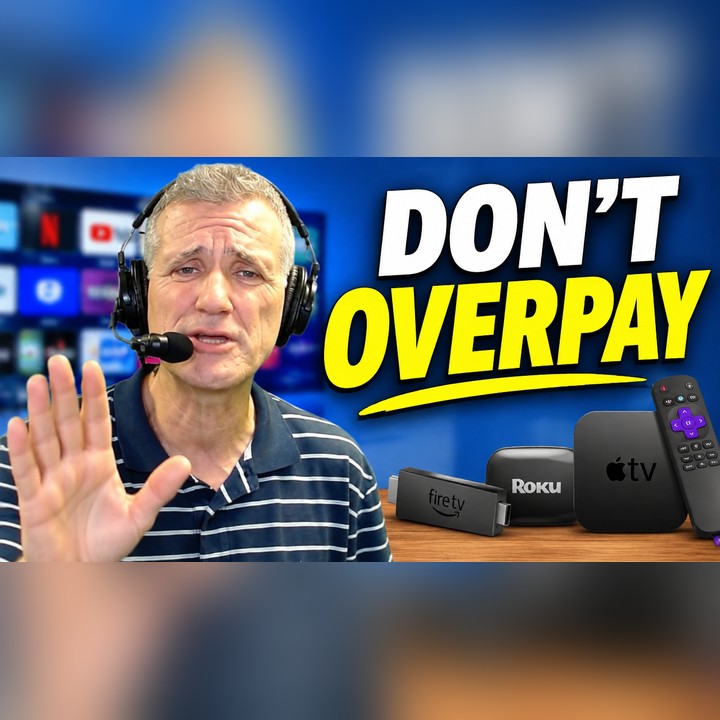
Before you spend $299 on a new streaming box, or hundreds more on a new TV, stop. In many homes the TV is fine, the streaming stick you need is on sale for about $20, and you may already be paying for streaming services you don't even use.
In this episode of A Faster PC Live Technical Support, Bryan Longworth explains the one rule that stops you from overpaying, which streaming stick to buy in 2026, which TVs are worth it for picture quality, and the hidden streaming perks in Walmart+, Instacart+, T-Mobile and Cricket that could replace a $15 to $20 subscription. A Faster PC has helped customers on Florida's Treasure Coast, Space Coast and South Florida save over $170 a month by cutting the cord, and this guide shows you exactly where that money comes from.
The One Rule That Stops You From Overpaying
Buy a TV for its picture. Pick a streaming platform for its apps. They do not have to come from the same company.
That one idea breaks most of the bad advice you hear in a store. A great picture does not mean great software, and a great app list does not mean a great picture. So judge them separately: step one is picture, step two is software.
Which TVs Are Worth It for Picture Quality in 2026
LG, Samsung and Sony Sit at the Top
- LG is famous for OLED: deep blacks, great contrast and fantastic performance in a dark room. It also supports Dolby Vision.
- Samsung makes beautiful, bright, colorful TVs that are great for gaming, and it uses HDR10+.
- Sony is the other top-tier choice, especially for a bright room and gaming.
The Value Picks: TCL and Hisense
For value, look hard at TCL and Hisense. You get a big screen, a bright picture and solid gaming performance for a lot less money, and many of these sets run Google TV, Roku TV or Amazon Fire TV.
A Heads-Up About Vizio
Vizio is still in the mix, but check the box closely, because select new Vizio TVs now require a Walmart account. That is not a deal breaker for everyone, but you should know it before you get home and try to set it up.
Check the Operating System, Not Just the Brand
The brand on the front of the TV does not tell you which apps you will get, how fast the menus will feel, or whether the TV will still get updates in three years. The operating system tells you that.
- Samsung uses Tizen and includes Samsung TV Plus.
- LG uses webOS and includes LG Channels.
- Sony, TCL and Hisense often use Google TV, Roku TV or Fire TV.
Don't Replace the TV. Replace the Brains.
Here's the part most people skip. If your current TV still has a good picture, but the apps are slow, missing or no longer getting updates, you don't need a new TV. A $20 to $70 streaming stick can make a five-year-old TV feel new again, and that's a lot cheaper than buying a new one.
One A Faster PC customer was sure his TV needed to be replaced. He had a cable TV subscription, and the picture coming into the set simply wasn't good. We connected that same TV to a Roku device, set him up with streaming apps and cut the cord. Now he's saving over $200 a month, and his reaction was, "Wow, this picture is great. I don't need a new TV."
That's exactly what we look for. We check your picture, your current setup and your monthly bills before we ever recommend a new TV, because the cheapest upgrade is often the one you already own.
Roku vs. Fire TV vs. Google TV vs. Apple TV
These are the four streaming platforms you will actually choose between.
Roku: The Easiest to Learn
Roku has a big, simple home screen, tons of apps, and free channels through The Roku Channel and other apps. If you want something simple for parents, grandparents or anyone who hates menus, Roku is the safe pick. Bryan's mother-in-law and 86-year-old father both learned to use Roku, and they love it. If you're new to Roku, see how to watch Thanksgiving movies free on Roku.
Amazon Fire TV: Best for Prime and Alexa Homes
Fire TV is great if you already use Prime Video, Alexa or Ring cameras. The trade-off is that the home screen pushes Amazon content and ads hard, so know that going in.
Google TV: Everything on One Screen
Google TV pulls shows from all of your services into one screen, works great with YouTube and Android phones, and lets you cast video from your phone to the TV. It's also heavy on recommendations, which some people love and some people find noisy.
Apple TV 4K: The Premium Option
Apple TV 4K is fast and polished, has a cleaner home screen, and works beautifully with iPhones and iPads. It is the premium option, and in 2026, you feel that price.
Don't buy a TV just because it comes with the platform you like. Buy the picture you want, then add the platform you want.
2026 Streaming Device Prices and Holiday Sales
Holiday sales change everything. Here's what Bryan found at the time of recording:
- Apple TV box: $299, up from $129 at the start of the year.
- Roku Streaming 4K: went from about $50 to about $80.
- Roku Ultra: went from about $100 to about $150.
- Google TV Streamer: about $150.
- Walmart's onn. 4K Pro: runs the same Google TV software for about $70, a better deal for most people.
- Amazon Fire TV Stick 4K: about $60 at full price, but around $20 in Amazon's early Black Friday sale.
Sales are knocking prices way down right now. If you buy a streaming stick at full price this month, you are voluntarily overpaying.
The Two-Minute Check Before You Buy
- Check the model number.
- Check the return policy.
- Make sure the apps you actually want to watch are supported.
That two-minute check prevents the most common return.
Cut the Bill Even More: Antennas, Free Apps and Free Trials
A cheap stick is only part of the savings.
- Antenna: an indoor or outdoor antenna can give you local news, weather and live sports in many areas with no monthly fee.
- Free streaming apps: Tubi, Pluto TV, The Roku Channel, Samsung TV Plus, LG Channels and Plex give you thousands of shows and movies for $0 a month.
- Free trials: they can work too, but set a reminder to cancel before the trial ends, or it becomes another monthly charge.
Looking for something to watch this week? See how to watch Thanksgiving parades and movies free without cable and how to watch the NFL Thanksgiving games without cable.
Hidden Streaming Perks You May Already Be Paying For
You may already be paying for streaming and not using it:
- Walmart+ includes your choice of Peacock Premium or Paramount+ Essentials at no extra cost, and you can switch every 90 days. New members can get the first year for $49, which is half price.
- Instacart+ includes Peacock Premium.
- T-Mobile Experience More and Experience Beyond plans include Netflix with ads, and Experience Beyond adds Hulu with ads.
- Cricket's top plan includes HBO Max.
If you pay for one of these services separately while also paying for Walmart+, Instacart+, T-Mobile or Cricket, you're paying twice.
How A Faster PC Finds $170 a Month in Savings
At A Faster PC, we audit that for you. We list every subscription, every perk you already have and every device you already own. Then we cut what you don't watch. That is how customers save over $170 a month by cutting the cord. The savings don't come from buying one cheaper stick. They come from removing the subscriptions that overlap.
The Cheat Sheet: Who Should Buy What
- Most households: a Roku stick for simplicity, or an onn. 4K Pro if you like Google TV.
- Cheapest 4K upgrade: the Fire TV Stick 4K at around $20 on sale is hard to beat.
- Best picture in a dark room: LG OLED.
- Bright room and gaming: Samsung or Sony.
- Best value: TCL or Hisense with Google TV, Roku TV or Amazon Fire TV.
If your TV picture is still good, buy the stick first, not the TV.
Frequently Asked Questions About Streaming Devices and Cutting the Cord
Do I need a new TV, or just a new streaming stick?
If your TV still has a good picture but its apps are slow, missing or no longer getting updates, you usually just need a streaming stick. A $20 to $70 stick can make a five-year-old TV feel new again. It's a lot cheaper than buying a new TV.
What is the best streaming device in 2026?
For most households, a Roku stick is the best choice for simplicity, or an onn. 4K Pro if you like Google TV. For the cheapest 4K upgrade, the Amazon Fire TV Stick 4K is hard to beat when it's on sale for around $20. Apple TV 4K is the premium option for people who use iPhones and iPads.
Roku vs. Fire TV vs. Google TV vs. Apple TV: which is easiest to use?
Roku is the easiest to learn, with a big, simple home screen that works well for parents, grandparents and anyone who hates menus. Fire TV suits homes that use Prime Video, Alexa or Ring, but it pushes Amazon content and ads. Google TV gathers shows from all your services onto one screen. Apple TV 4K is fast and polished but costs the most.
Which TV brand has the best picture quality in 2026?
LG, Samsung and Sony sit at the top. LG OLED is best for deep blacks and dark rooms, while Samsung and Sony are great for bright rooms and gaming. For value, TCL and Hisense give you a big, bright picture for a lot less money.
Can I get free streaming services through Walmart+, T-Mobile or Cricket?
Yes. Walmart+ includes your choice of Peacock Premium or Paramount+ Essentials, Instacart+ includes Peacock Premium, T-Mobile Experience More and Experience Beyond plans include Netflix with ads, and Cricket's top plan includes HBO Max. If you also pay for those services separately, you're paying twice.
How can I watch local news and sports without cable?
An indoor or outdoor antenna can bring in local news, weather and live sports in many areas with no monthly fee. Free apps like Tubi, Pluto TV, The Roku Channel, Samsung TV Plus, LG Channels and Plex add thousands of shows and movies for $0 a month.
Who can help me cut the cord on the Treasure Coast, Space Coast or South Florida?
A Faster PC is a managed services provider that helps homes and businesses across Florida's Treasure Coast, Space Coast and South Florida set up TV, streaming, Wi-Fi and security. We audit your subscriptions, perks and devices, then cut what you don't watch. Customers have saved over $170 a month. Call 772-878-5978 to get started.
About A Faster PC
A Faster PC is the leading managed services provider (MSP) serving Florida's Treasure Coast, Space Coast, and South Florida. A Faster PC provides responsive IT support, advanced cybersecurity solutions, cloud backup, disaster recovery, breach remediation, patch management, computer repair, and technical support for accounting offices, attorneys' offices, medical offices, dental offices, professional offices, small- to medium-sized businesses, non-profits, churches, home office users, and individuals throughout the regions. We help our clients cut costs in their Internet, TV, and telephone bills and in business operations.
Every week at 10:07 AM EST, A Faster PC hosts A Faster PC Live Technical Support, which is a live Radio Show that is livestreamed to YouTube and Facebook and is available as a podcast. Visit our Live Technical Support page for various ways to schedule a technical support session and for various ways to listen to and watch A Faster PC Live Technical Support.
A Faster PC services the following counties and cities: St. Lucie County including: Port St. Lucie, Fort Pierce, St. Lucie West, Tradition, St. Lucie Village; Martin County including: Stuart, Jensen Beach, Jupiter Island, Ocean Breeze Park, and Sewall's Point; Indian River County: including Vero Beach, Sebastian, Fellsmere, Indian River Shores; Palm Beach County including: Jupiter, Jupiter Inlet Colony, Juno Beach, Tequesta, Palm Beach Gardens, North Palm Beach, Palm Beach Shores, Riviera Beach, West Palm Beach, Wellington, Royal Palm Beach, Greenacres, Lake Worth Beach, Lantana, Boynton Beach, Ocean Ridge, Briny Breezes, Gulf Stream, Delray Beach, Highland Beach, and Boca Raton; Broward County including: Fort Lauderdale, Hollywood, Pompano Beach, Coral Springs, Pembroke Pines, Miramar, Davie, Plantation, Sunrise, Deerfield Beach, Lauderhill, Weston, Tamarac, Coconut Creek, Margate, Lauderdale Lakes, Oakland Park, Hallandale Beach, Cooper City, Wilton Manors, Lighthouse Point, Parkland, Lauderdale-by-the-Sea, Sea Ranch Lakes, Lazy Lake, Hillsboro Beach, Southwest Ranches, North Lauderdale, Dania Beach; Miami-Dade County including: Miami, Miami Beach, Hialeah, Miami Gardens, Coral Gables, Homestead, Doral, North Miami, Aventura, Kendall, Cutler Bay, Sunny Isles Beach, Key Biscayne, Pinecrest, Surfside, Bal Harbour, North Miami Beach, Palmetto Bay, Miami Springs, Opa-locka, Miami Lakes, Florida City, South Miami, Sweetwater, West Miami, Bay Harbor Islands, Biscayne Park, El Portal, Golden Beach, Hialeah Gardens, Indian Creek, Medley, North Bay Village, and Virginia Gardens; and Okeechobee County including: Okeechobee, Taylor Creek, Cypress Quarters, Fort Drum, and Basinger.
Cut the Cord the Right Way With A Faster PC
If you need help with any of this, you need A Faster PC. As a managed services provider serving Florida's Treasure Coast, Space Coast and South Florida, we help homes and businesses set up TV, streaming, Wi-Fi and security the right way, and we help you cut the cord without losing the shows you love.
Don't spend $299 on a box and $50 a month on subscriptions you don't need. Let us find that $170 or more a month in savings for you. Call A Faster PC at 772-878-5978, visit AFasterPC.com, or schedule a discovery call today.
Watch the full video here: Don't Buy a New Streaming Device Until You Watch This.