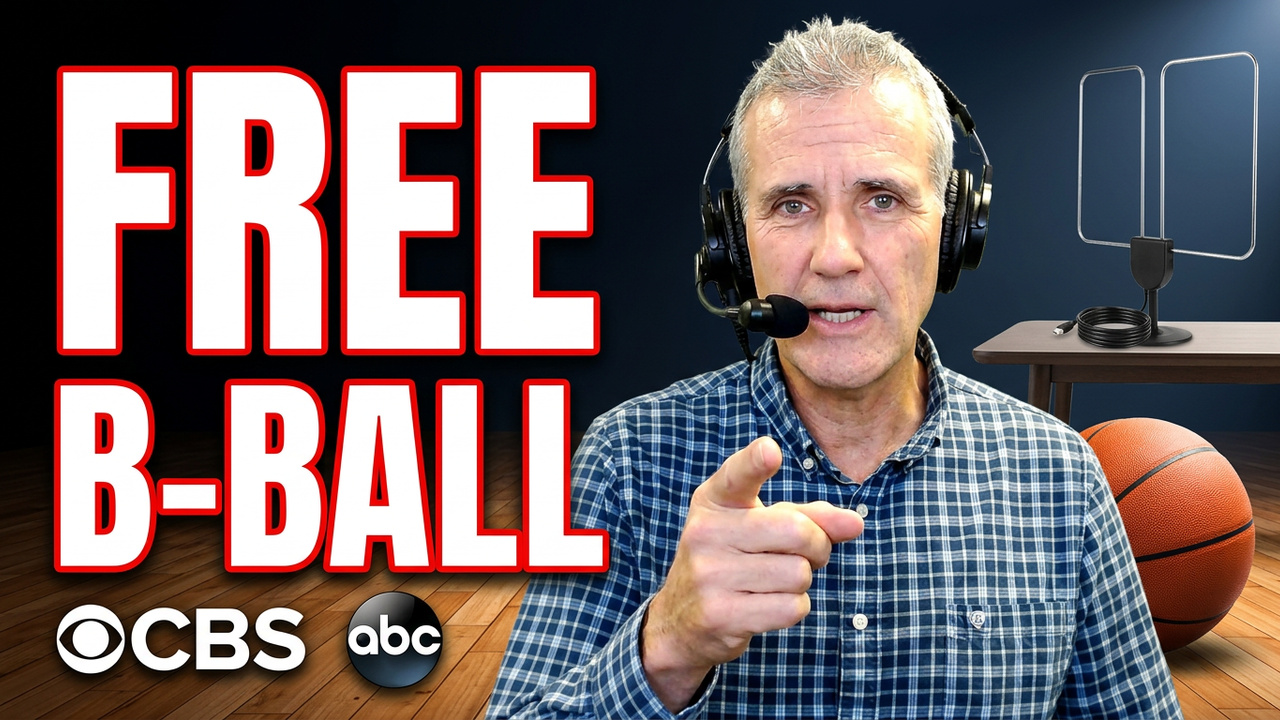
If you pay for cable just to watch college basketball, you are almost certainly overpaying. Both national championship games air on free broadcast TV this season: the men's final is on CBS and the women's final is on ABC. With an over-the-air antenna, you can watch both in HD with no monthly bill and no internet connection. The trick is knowing which games are free, which one budget streaming app your team actually needs, and which expensive services you can skip.
This guide walks through the free setup first, then the exact steps to pick the right app, a $4 ESPN bundle trick, and a three-level game plan so you pay the least possible for every game you want to watch.
Why Watching College Basketball Without Cable Feels So Confusing
College basketball is scattered across more channels than almost any other sport. Your team's games could air on ABC, CBS, Fox, NBC, the CW, ESPN, ESPN2, ESPNU, SEC Network, ACC Network, FS1, Big Ten Network, USA Network, Peacock, or Paramount Plus, and no single cheap app carries them all.
That confusion pushes a lot of fans into $80 to $100 live TV packages. We have even seen households paying $200, $300, or $400 a month for TV when one $15 to $30 app would cover their team. So before you buy anything, start with the free options.
Free Option 1: An Over-the-Air Antenna
An old-school over-the-air (OTA) antenna is still the best deal in TV. It pulls in your local ABC, CBS, Fox, NBC, CW, and Ion stations in full HD with no monthly bill, no login, and no internet needed for the channels themselves. Because the men's national championship is on CBS and the women's national championship is on ABC, both title games are free with an antenna, along with many regular-season games on those networks.
Check Your Reception Before You Buy an Antenna
Before you spend anything, look up your address on the FCC's DTV reception map. Enter your ZIP code to see which channels you can receive and the broadcast technology each station uses, so you buy the right antenna.
- If you live close to the broadcast towers, a $15 to $40 indoor antenna may be all you need.
- If you can mount an outdoor antenna on a 20-foot pole, that is even better.
- Many people get good results with an outdoor antenna mounted inside the house or in the attic.
- Once it is connected, run a channel scan on your TV and you are done.
Want help aiming the antenna or wiring it to every TV in the house? That is exactly the kind of work A Faster PC does every week. Schedule a discovery call and we will tell you what will work at your address.
Free Option 2: Opening Day Streams and School Websites
The Field of 68 YouTube channel runs a free 24-hour opening day marathon with eight games. Many smaller schools also stream their home games free on their own athletic department websites. If you follow a mid-major program or just love basketball, check your school's athletic site before you pay. You might already have a dozen or more games for free.
Step One: Find Out Where Your Team Plays
This is the most important step, because it tells you what to buy and what to ignore. Go to your team's official athletic website, open the men's or women's basketball schedule, and look at the TV column for every game. Within about 30 seconds you will see a pattern.
College Basketball TV Cheat Sheet by Conference
- SEC: mostly ESPN networks and ABC
- ACC: mostly ESPN networks and the CW
- Big Ten: mostly Fox, FS1, Big Ten Network, NBC, and Peacock
- Big 12: mostly ESPN networks and Fox
- Big East: mostly Fox, FS1, and Peacock
Once you know your team's main home, buy only that one service. Skip everything else.
If Your Team Plays on ESPN: Unlimited vs. Select
ESPN renamed its plans, and the names trip people up. ESPN Unlimited is $31.99 a month and includes ESPN, ESPN2, ESPNU, SEC Network, ACC Network, and ESPN+. ESPN Select is $13.99 a month, but it is only the old ESPN+ with no live TV channels. If you need live games on the ESPN channels, do not buy Select.
The $4 Disney+, Hulu, and ESPN Unlimited Trick
The Disney+, Hulu, and ESPN Unlimited bundle is $35.99 a month, only $4 more than ESPN Unlimited by itself. If you are paying for ESPN during basketball season anyway, get the bundle, keep it month to month during the season, and cancel when your season ends if you no longer want it.
The Other Budget Streaming Apps, in Plain English
Buy only what matches your team's schedule:
- Peacock Premium ($12.99 a month): NBC and Peacock-exclusive games. Instacart members can upgrade an included basic Peacock plan to Premium and save money.
- Paramount+ Premium ($13.99 a month): includes your local live CBS station for CBS games. Walmart+ members get Paramount+ included and can upgrade to Premium.
- Fox One ($19.99 a month): Fox, FS1, and Big Ten Network with no cable login, plus Fox News and Fox Business.
- B1G+ ($12.99 a month extra): only for extra Big Ten games that are not on regular TV.
- Fox One and ESPN Unlimited bundle: worth a look if your team splits its games between Fox and ESPN.
Buy your team's main network first. If one big matchup lands somewhere else, add a second app for a single month and cancel it afterward.
Two Channels That Catch Fans Off Guard
- CBS Sports Network is not CBS. It is a separate cable channel that you cannot get with an antenna and cannot get on Paramount+.
- USA Network has no standalone streaming app.
If many of your team's games air only on those two channels, a budget app will not cover you, and you will need a live TV streaming service or another place to watch. Check the schedule before you pay.
When a Live TV Streaming Service Makes Sense
- YouTube TV: $82.99 a month plus tax, or $64.99 a month for its sports plan
- Hulu + Live TV: $99.99 a month for new customers
- Sling Orange: $45.99 a month with ESPN, TNT, and TBS, but no CBS
These services are only worth it if you follow many teams across many channels or you need CBS Sports Network or USA Network. Most single-team fans do not need them.
How to Watch March Madness Without Cable
For the men's tournament, games are split across CBS, TBS, TNT, and truTV. CBS games are free with an antenna or available on Paramount+ Premium. TBS, TNT, and truTV games stream on the HBO Max Standard plan at $18.49 a month; the cheaper Basic with Ads plan does not include live sports.
For the women's tournament, every game is on the ESPN networks, including ESPN, ESPN2, ESPNU, ESPNews, and ABC. The championship is free on ABC with your antenna, and everything else is covered by ESPN Unlimited.
Your Cheapest College Basketball Game Plan in Three Levels
- Level 1, free: put up an antenna for the title games and network games, and check YouTube and your school's athletic site for free streams.
- Level 2, one app: buy only the one app for your team's main network (ESPN Unlimited or the Disney+ bundle, Fox One, Peacock, or Paramount+ Premium), go month to month, and cancel when the season is done.
- Level 3, live TV: only if you follow many teams or need CBS Sports Network or USA Network. Start with Sling before jumping to an $80 plan, and look at day passes.
That is it. You do not need cable to watch college basketball this year. You need an antenna plus the right one app.
Frequently Asked Questions About Watching College Basketball Without Cable
Can I watch the college basketball national championship for free?
Yes. This season the men's national championship airs on CBS and the women's national championship airs on ABC, both free broadcast networks. With an over-the-air antenna, you can watch both title games in HD with no monthly bill and no internet connection.
What is the cheapest way to watch college basketball without cable?
Start with a free antenna for games on ABC, CBS, Fox, NBC, and the CW, and check your school's athletic website for free streams. Then look at your team's schedule and buy only the one app that carries most of its games, such as ESPN Unlimited, Fox One, Peacock, or Paramount+ Premium. Go month to month and cancel when the season ends.
What is the difference between ESPN Unlimited and ESPN Select?
ESPN Unlimited ($31.99 a month) includes the live ESPN, ESPN2, ESPNU, SEC Network, and ACC Network channels plus ESPN+. ESPN Select ($13.99 a month) is only ESPN+ with no live TV channels. If your team plays on the ESPN channels, you need Unlimited, and the Disney+, Hulu, and ESPN Unlimited bundle costs just $4 more.
Can I get CBS Sports Network with an antenna or Paramount Plus?
No. CBS Sports Network is a separate cable channel, not your local CBS station, so an antenna will not pick it up and Paramount+ does not carry it. If many of your team's games are on CBS Sports Network or USA Network, you will need a live TV streaming service.
How can I watch March Madness without cable?
Men's tournament games on CBS are free with an antenna or on Paramount+ Premium, and games on TBS, TNT, and truTV stream on the HBO Max Standard plan. The cheaper HBO Max Basic with Ads plan does not include live sports. Women's tournament games are on the ESPN networks and ABC, so an antenna plus ESPN Unlimited covers them.
Do I need internet to use a TV antenna?
No. An over-the-air antenna receives local channels like ABC, CBS, Fox, NBC, CW, and Ion directly from broadcast towers, so no internet, login, or subscription is needed for those channels. Check the FCC reception map with your ZIP code first so you buy the right antenna for your location.
Who can set up a TV antenna and streaming apps on the Treasure Coast?
A Faster PC sets up antennas, streaming apps, and home Wi-Fi networks for homes and businesses across Florida's Treasure Coast, Space Coast, and South Florida, including Port St. Lucie, Stuart, Vero Beach, and Palm Beach County. Call 772-878-5978 and we can help you cut the cord and stop overpaying for TV.
About A Faster PC
A Faster PC is the leading managed services provider (MSP) serving Florida's Treasure Coast, Space Coast, and South Florida. A Faster PC provides responsive IT support, advanced cybersecurity solutions, cloud backup, disaster recovery, breach remediation, patch management, computer repair, and technical support for accounting offices, attorneys' offices, medical offices, dental offices, professional offices, small- to medium-sized businesses, non-profits, churches, home office users, and individuals throughout the regions. We help our clients cut costs in their Internet, TV, and telephone bills and in business operations.
Every week at 10:07 AM EST, A Faster PC hosts A Faster PC Live Technical Support, which is a live Radio Show that is livestreamed to YouTube and Facebook and is available as a podcast. Visit our Live Technical Support page for various ways to schedule a technical support session and for various ways to listen to and watch A Faster PC Live Technical Support.
A Faster PC services the following counties and cities: St. Lucie County including: Port St. Lucie, Fort Pierce, St. Lucie West, Tradition, St. Lucie Village; Martin County including: Stuart, Jensen Beach, Jupiter Island, Ocean Breeze Park, and Sewall's Point; Indian River County: including Vero Beach, Sebastian, Fellsmere, Indian River Shores; Palm Beach County including: Jupiter, Jupiter Inlet Colony, Juno Beach, Tequesta, Palm Beach Gardens, North Palm Beach, Palm Beach Shores, Riviera Beach, West Palm Beach, Wellington, Royal Palm Beach, Greenacres, Lake Worth Beach, Lantana, Boynton Beach, Ocean Ridge, Briny Breezes, Gulf Stream, Delray Beach, Highland Beach, and Boca Raton; Broward County including: Fort Lauderdale, Hollywood, Pompano Beach, Coral Springs, Pembroke Pines, Miramar, Davie, Plantation, Sunrise, Deerfield Beach, Lauderhill, Weston, Tamarac, Coconut Creek, Margate, Lauderdale Lakes, Oakland Park, Hallandale Beach, Cooper City, Wilton Manors, Lighthouse Point, Parkland, Lauderdale-by-the-Sea, Sea Ranch Lakes, Lazy Lake, Hillsboro Beach, Southwest Ranches, North Lauderdale, Dania Beach; Miami-Dade County including: Miami, Miami Beach, Hialeah, Miami Gardens, Coral Gables, Homestead, Doral, North Miami, Aventura, Kendall, Cutler Bay, Sunny Isles Beach, Key Biscayne, Pinecrest, Surfside, Bal Harbour, North Miami Beach, Palmetto Bay, Miami Springs, Opa-locka, Miami Lakes, Florida City, South Miami, Sweetwater, West Miami, Bay Harbor Islands, Biscayne Park, El Portal, Golden Beach, Hialeah Gardens, Indian Creek, Medley, North Bay Village, and Virginia Gardens; and Okeechobee County including: Okeechobee, Taylor Creek, Cypress Quarters, Fort Drum, and Basinger.
Watch the full video here: Why You Don’t Need Cable for College Basketball.
Cut the Cord With Help From A Faster PC
If juggling apps, antennas, and remotes feels like a hassle, let us handle it. A Faster PC is a managed services provider serving Florida's Treasure Coast, Space Coast, and South Florida, and we set up antennas, streaming apps, and home networks so everything just works. We can help you cut the cord, fix your Wi-Fi so games do not buffer, and save money every month.
Call A Faster PC at 772-878-5978, schedule a discovery call, or ask your streaming questions live on A Faster PC Live Technical Support. You can also learn more about our managed IT services and home technology support. When you have streaming questions, you need A Faster PC.